
This screen is used to define the Export and Import Paths (and File Names) for Handheld Units.
It is specific per Inventory-System and type of Handheld Unit.
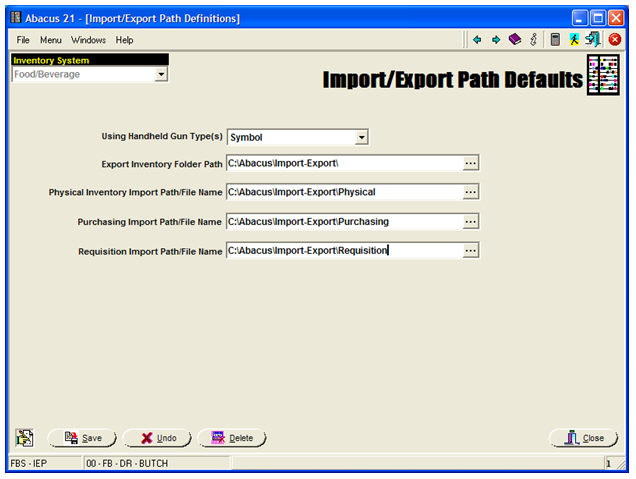
Inventory System - Select the pertinent Inventory System.
Using Handheld Gun Type - Select the pertinent Handheld Unit type.
Export Inventory Folder Path - Browse-Select the pertinent Folder Path for Physical Count Exports (to the Guns).
Physical Inventory Import Path/File Name - Browse-Select the pertinent Folder & Filename for Physical Count imports (from Handheld Guns).
Purchasing Import Path/File Name - Browse-Select the pertinent Folder & Filename for Ordering imports (from Handheld Guns).
Requisition Import Path/File Name - Browse-Select the pertinent Folder & Filename for Requisition imports (from Handheld Guns).
