Commissions Setup (RC CS and/or FC CS)
This program sets the overall rules for the different types of Commissions – whether the Item flat amount should be considered, whether the Commission is Price Based and the percentage of the price and whether the Service Charge is Commissionable and the percentage. Note: If the Section Flag in Company Maintenance is not turned on for Service Charge – any Service Charge setups in this program will be ignored.
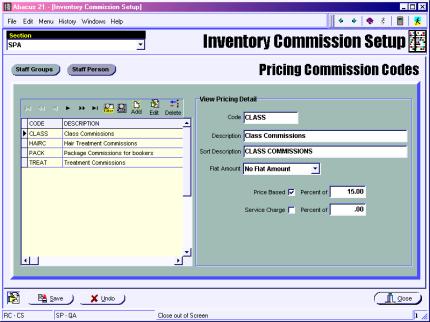
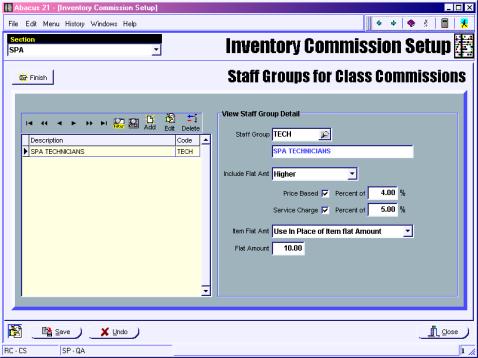
Overall rules can also be set for Staff Groups and for Individual Staff People by the different Commission Codes if they differ from the norm.
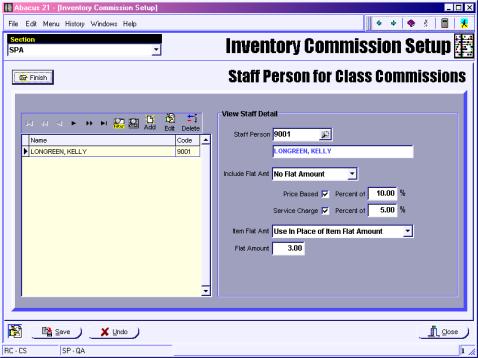
If an Individual Staff Person receives a different Commission from the Overall or Group Setup for this Commission Code – their Calculation Rules can be set up here.
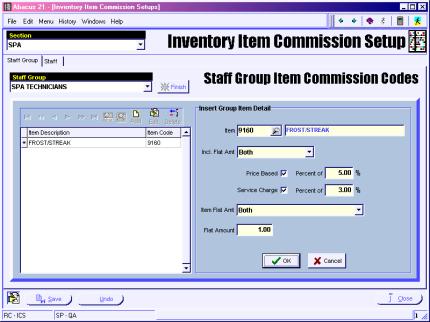
Item Commissions Setup (RC ICS and/or FC ICS)
This program is used to set Commissions rules for Individual Items by Staff Group and/or Staff Person on an item by item exception basis.
Item Maintenance (RSS IM and/or FSS IM)
Section Info Tab
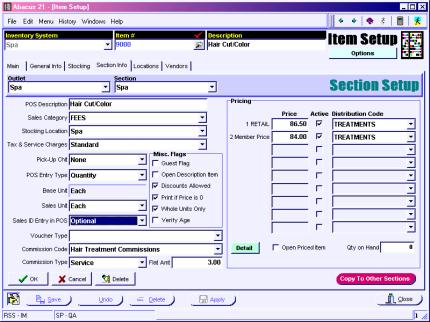
Sales ID Entry in POS – this needs to be set to either Optional or Required for Items that are sent from the SPA to POS Interface if you want to be able to edit a Sales Person ID setup for the Staff Group that is defaulted from the POS System Configuration setup.
Commission Code comes from the Commission Setups and indicates the Commission calculation to use.
Commission Type indicates whether this is a Service Commission, a Product Commission or a Gratuity Commission (ties into the Commission Report columns.)
Flat Fee is the Item Flat Fee Commission if there is one.