
The integration of Purchasing, Inventory, Accounts Payable, and General Ledger within System-441 provides ‘on line’ inquiries into each step of the flow -- from inception of a P/O all the way through to A/P and G/L.
While our System support a printing Hardcopies for each ‘step’ in this process, paper-less options are available also.
Illustrated below is a simple flow of a Purchase Order -- moving through each Department. It is not an exhaustive outline of all the functionality, Inquiries, and/or Reports available in System 441 -- but rather merely intended as an example of what can be accomplished.
Gestation of a Purchase Order -
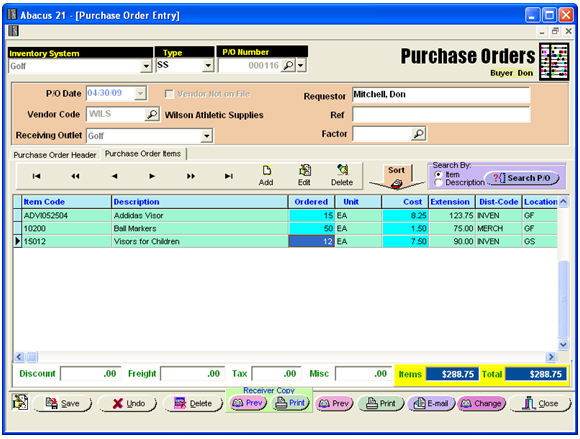
The Purchase Order may be Printed, Emailed, or Faxed.
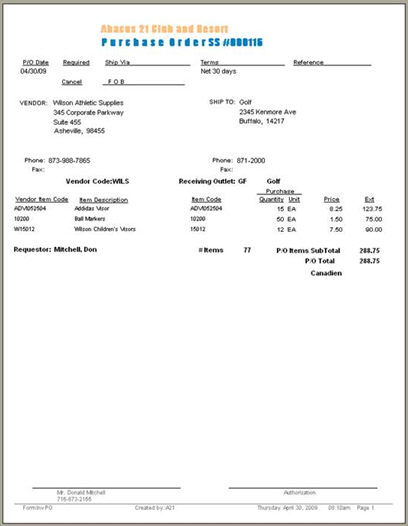
Below is a sample of a Printed P/O:
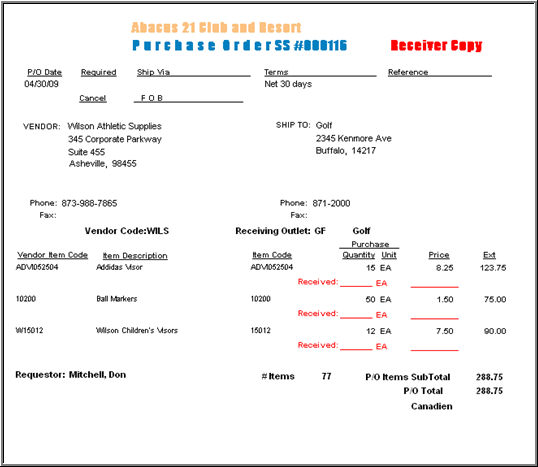
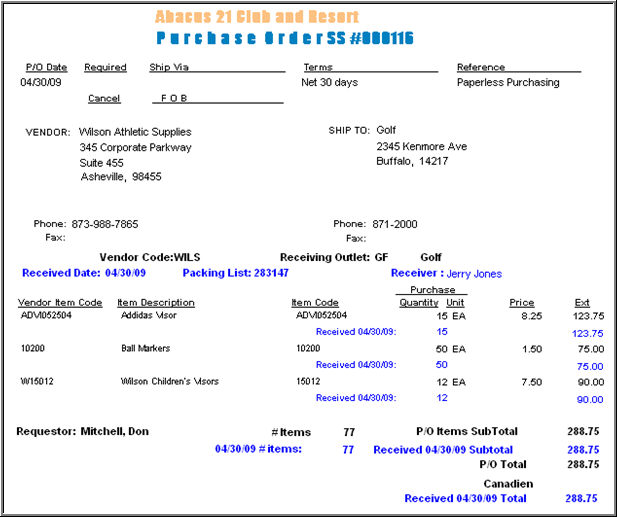
Below is a sample of a Printed Receiver-Copy. A manual printout of a Receiver-Copy, done prior to receiving, provides a manual copy to pencil in the Received Amounts:
The Receiving Entry screen is used to receive Items with respect to their P/O’s.:
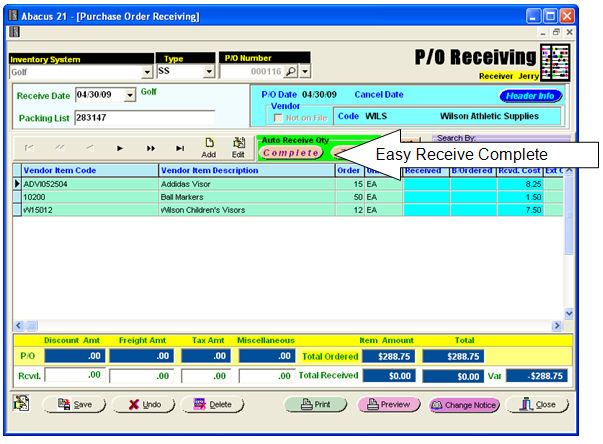
... which defaults all the 'Received Quantities' to be the 'Ordered Quantities' (as a convenience) -- namely Received Complete (to perhaps be adjusted for deviations from 'Compete' in all cases):
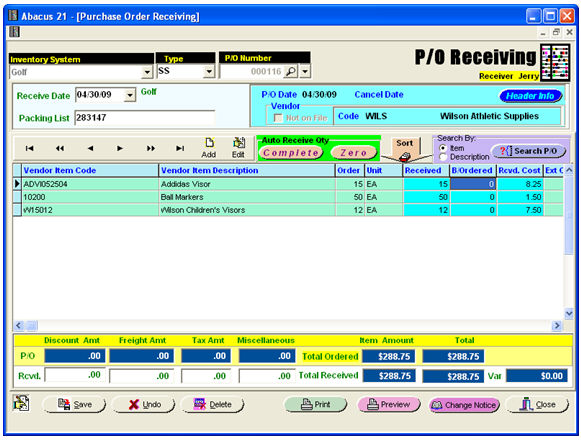
Acknowledging the Items received, the Purchase Order now reflects the Received Items, Quantities, and Costs:
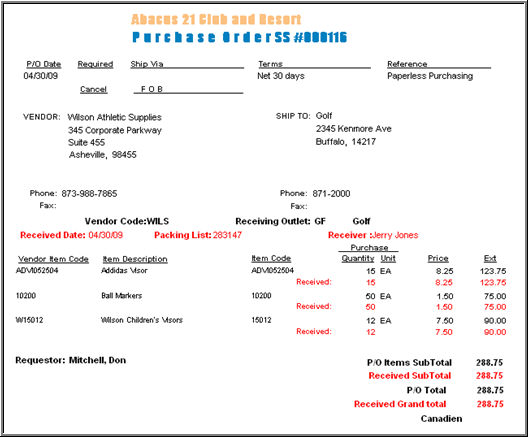
The resulting P/O Receiving Register updates the Quantities as received, creates a G/L Journal Entry, and moves the P/O to History.
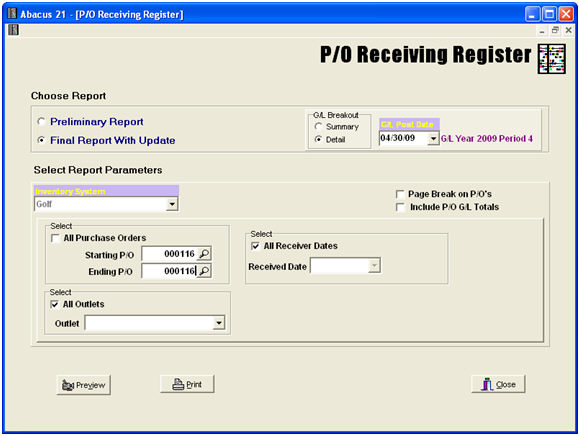
... initiates the Register itself:
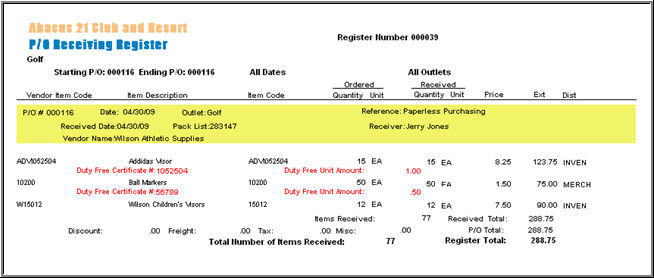
... and the associate General Ledger Distribution section:
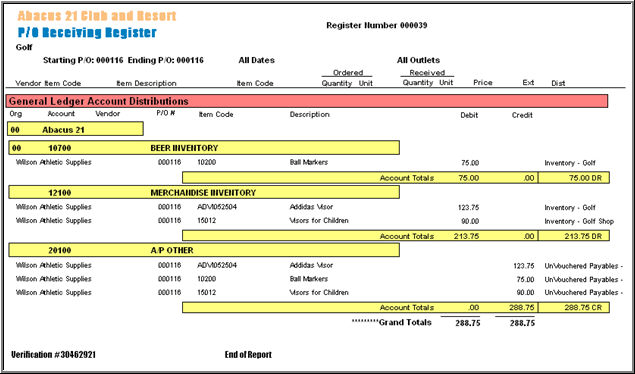
Now, usually at this point in a manual process, hardcopy printouts are typically passed on to the appropriate Departments, 1 copy to Accounts Payable, 1 copy to Accounting as a backup to the G/L Journal Entry.
Within System 441, the P/O, P/O Receiver Copy, and P/O Receiving Register are available ‘on line’ from within each respective Department's Menu options.
Let's start with the Purchasing Department. In addition to all the Reporting options, there is P/O Inquiry... which provides a look backwards into any Purchase Order moved to history as well as all ‘live’ P/O’s.
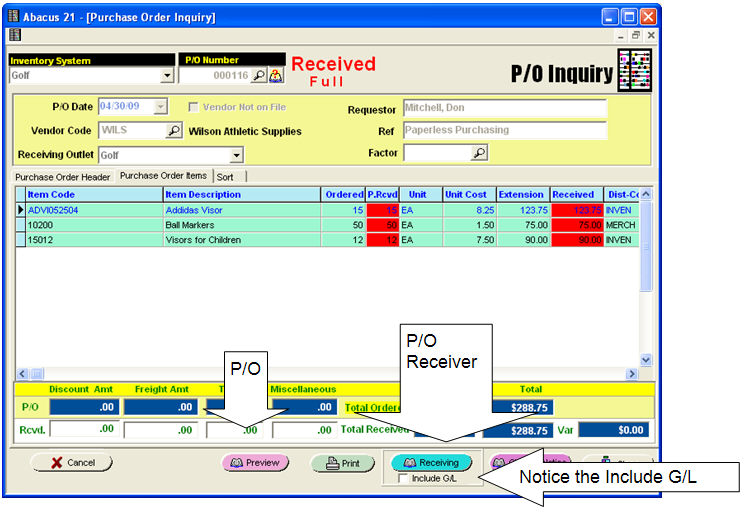
While the Purchase Order may have ‘moved on’ to other Departments, it is still always available for recall to the Purchasing Department.
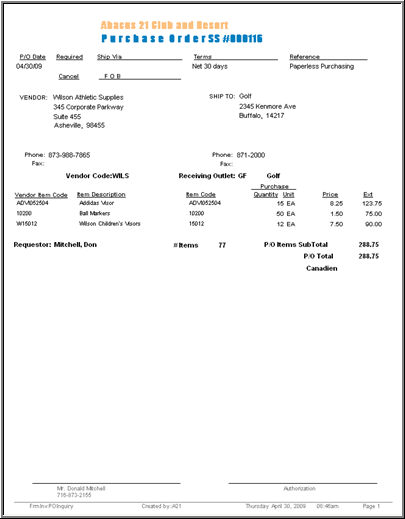
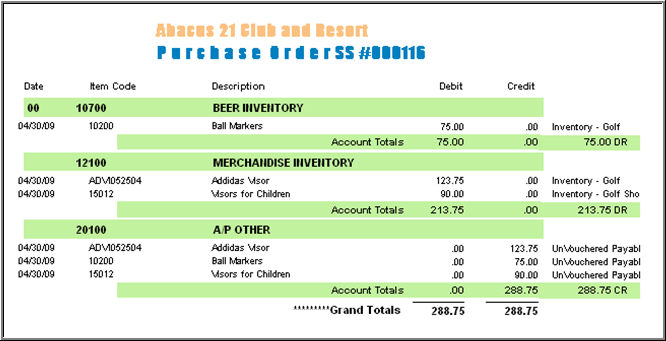
... with an included G/L-Distribution on the subsequent Pages:
Usually the Accounts Receivable Department is recipient of hardcopy Receivers... which then get matched to Invoices as they are received from Vendors. From inside A/P Invoice Entry is a direct lookup into the Received Purchase Orders:
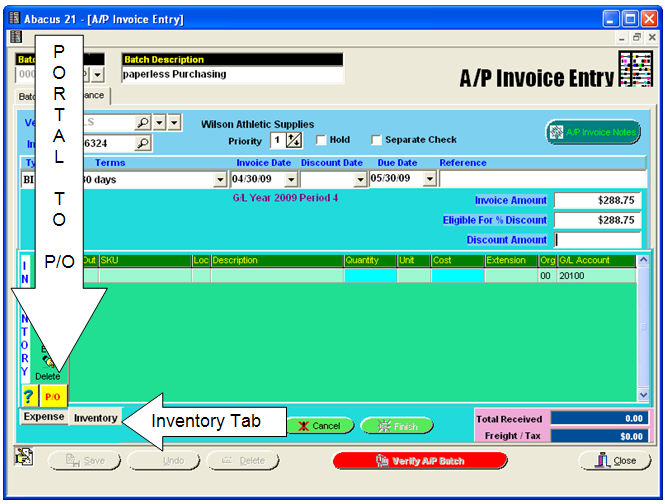
Two interface buttons to Purchasing are provided, allowing the A/P Department direct access into each Receiver. The ‘P/O’ button is a ‘quick look’ into all the Received P/O’s that have not yet been invoiced in A/P.
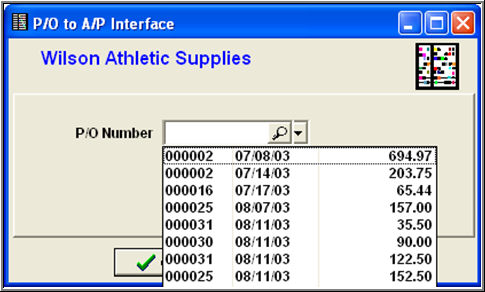
From within this pop-up the magnifying glass as well as the ‘?’ button on the A/P Invoice Entry screen bring up a search screen.
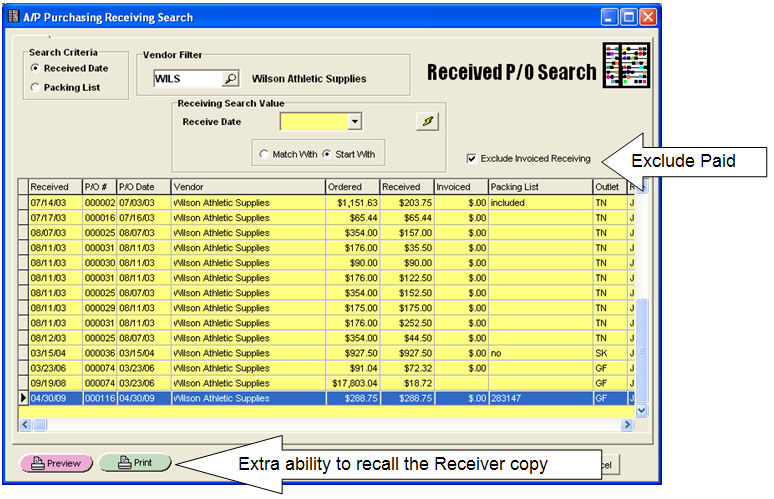
From this screen, all the Vendors 'Received' Purchase Orders are made available... and, if desired, the Receiving may be viewed.
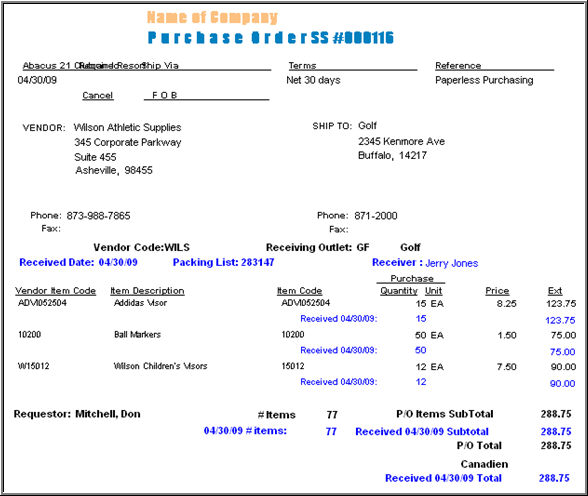
Selecting a P/O from the search:
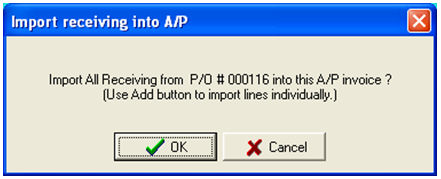
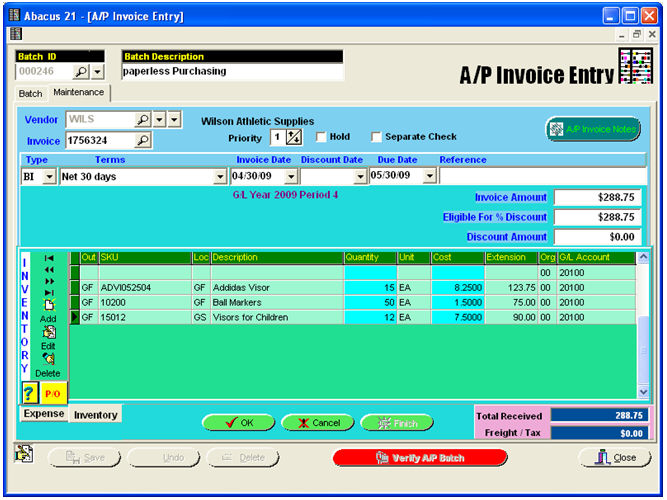
... give you the resulting import into A/P Invoice Entry:
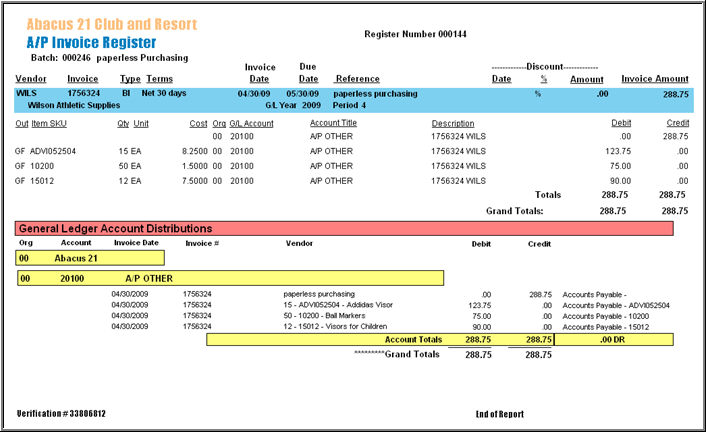
Then, Updating the A/P Invoice Register:
In addition to all the Reports, inside Vendor Maintenance (History tab), gives a blow-by-blow view of the P/O as it travels through the System:
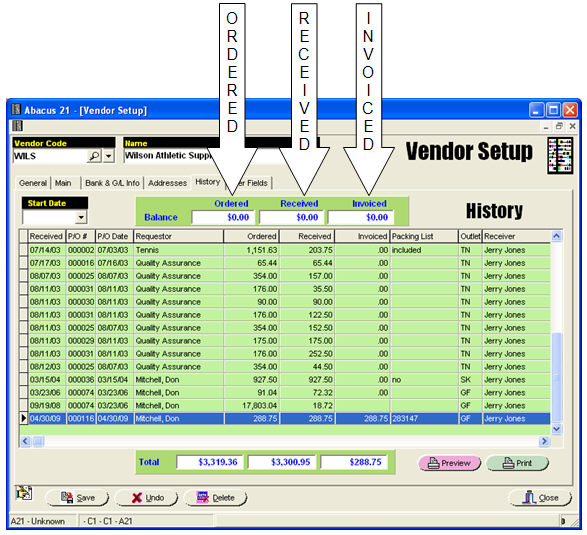
From inside this grid, right-click to bring up a Menu of options to view or print the Purchase Order as it steps through the system...
Show-Print P/O Detail -
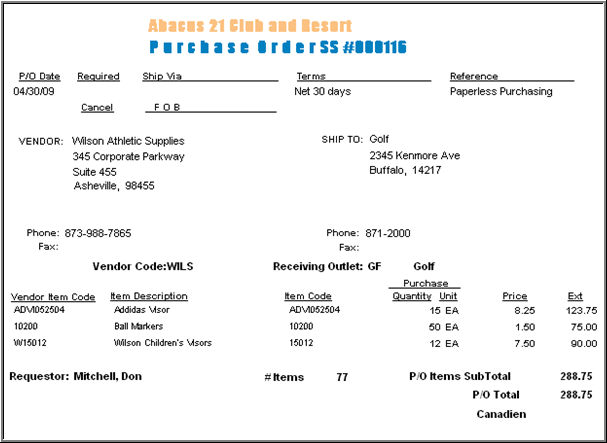
Show-Print Receiver -
Note the 'Received Amounts'...
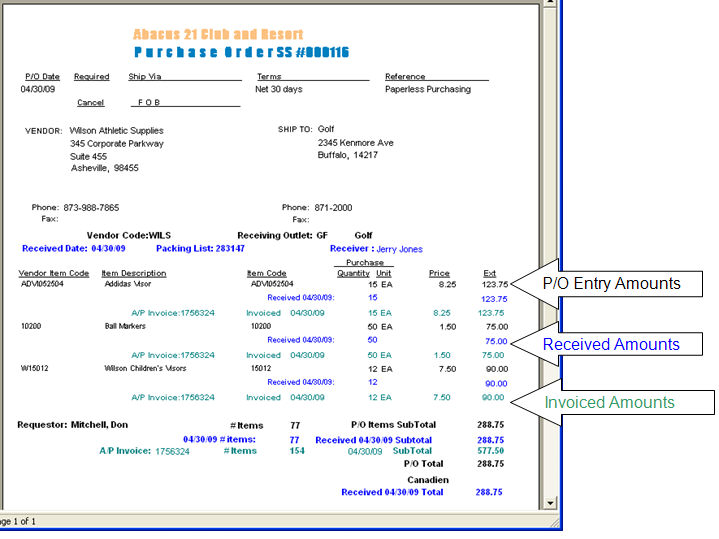
Show-Print P/O-Receiver Invoiced -
Financial Accounting Department -
The Financial Accounting group is responsible for the General Ledger... and it is significant to note that Receivers create Journal Entries... that are then copied to the Accounting Department for reconciliation.
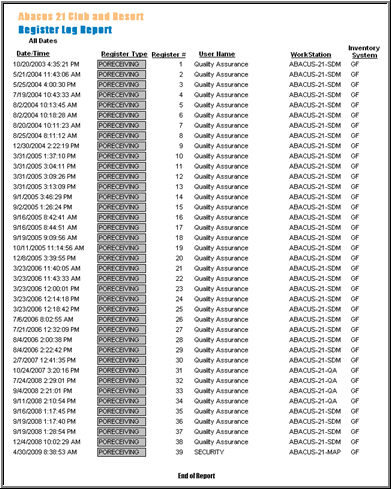
The General ledger Menu includes the Register Log report -- a one-stop overview off all the Registers that have been updated into the General Ledger.
In the example querying the P/O Receiving Registers:
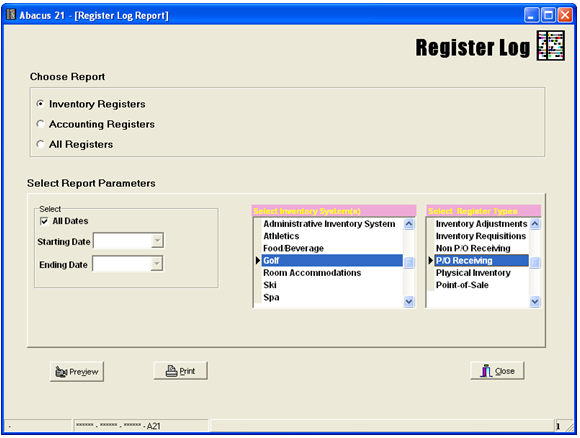
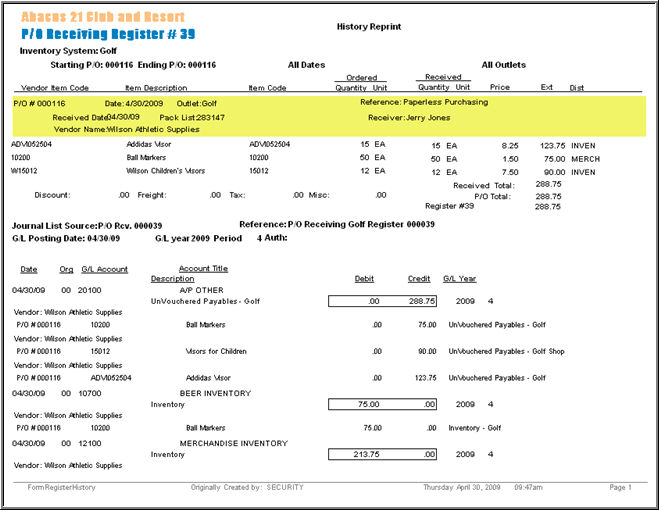
The resulting report has ‘drill down’ capabilities to reproduce the history reprint of the Source Register:
History re-print of P/O Receiving Register (in this example, the last Register on the above Listing):
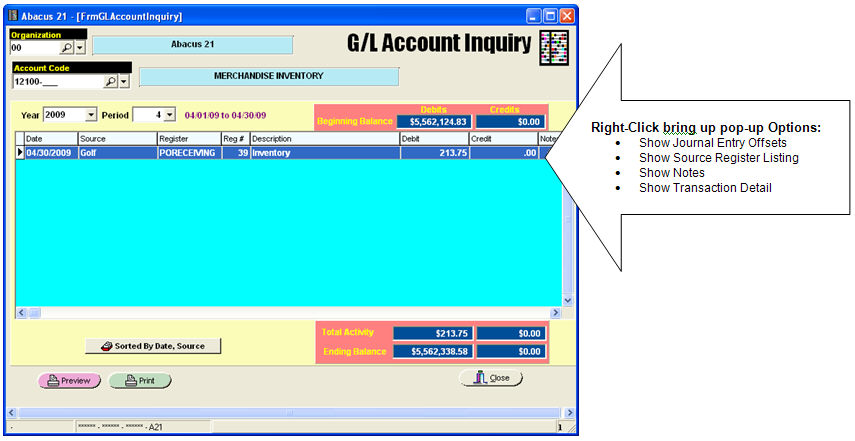
Each G/L Journal Entry is linked backwards to the Source Register and its contents.
From G/L Account Inquiry, each displayed line to the grid can be right-clicked to bring up a pop-up Menu of selections:
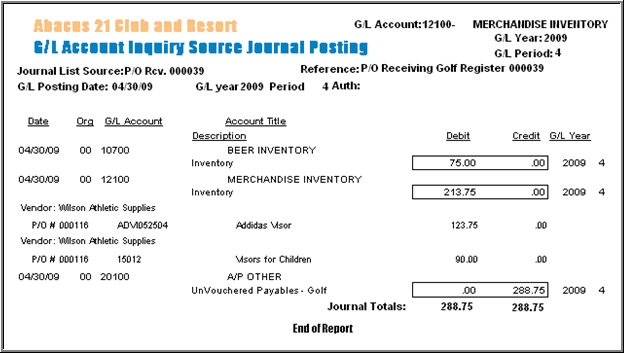
Show Source Journal Offsets provides the entire Journal Entry associated to the P/O Receiving:
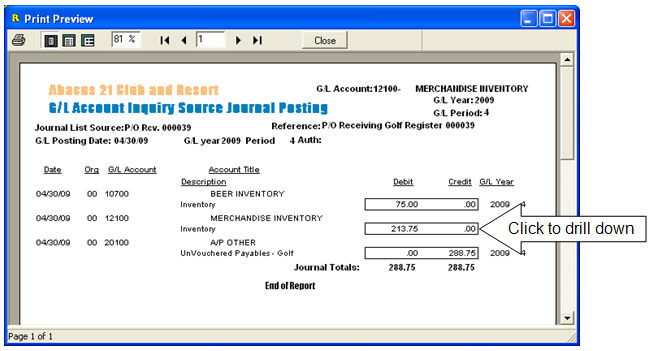
... Yielding the Vendor, Purchase Order, Item-Code, Item-Description:
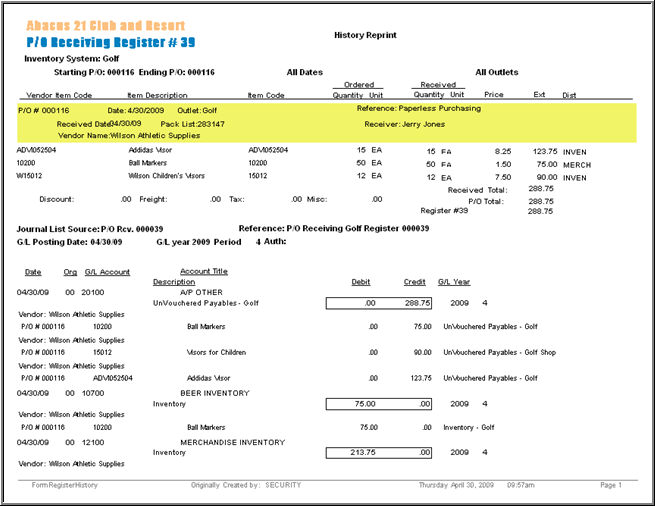
Show Source Register Listing produces a History reprint of the Register associated to the G/L Journal Entry:
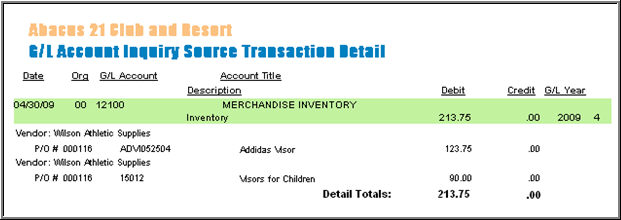
Show Transaction Detail yields the Vendor, P/O, Item-Code, Description:
The above example tracks a single Purchase Order as it flows into each respective Department -- and the On-Line Inquiries made available inside each sub-system allow viewing of the P/O-Detail.
In some cases, like P/O Inquiry, these processes may be available to all Departments for inquiry purposes.
While manual hardcopy systems provide familiarity and comfort, System 441’s integration should provide the users familiarity and comfort -- and precise detail at their fingertips.